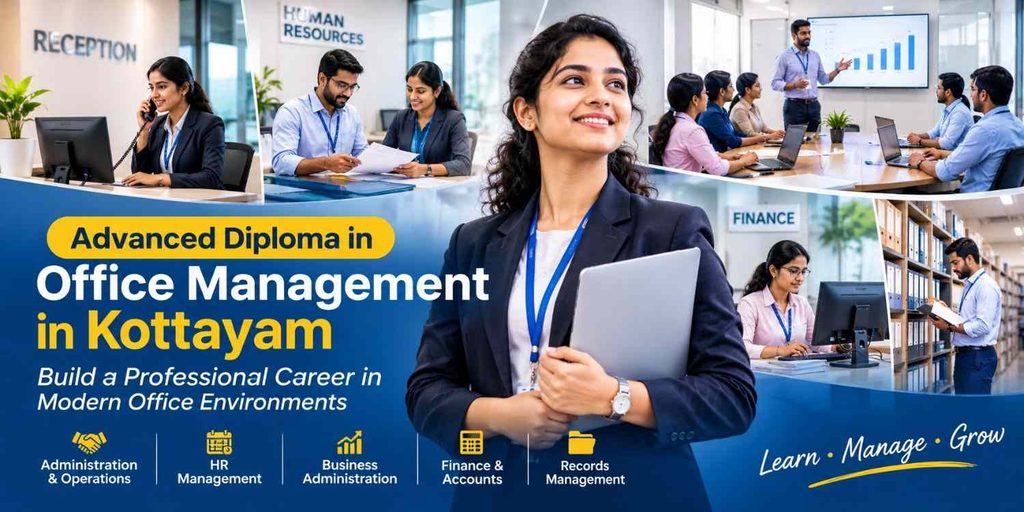

Advanced Diploma in Office Management in Kottayam
Build practical office administration skills
The Advanced Diploma in Office Management at Creative Vision Technologies is designed for learners who want practical skills for modern administrative and office-support work. The programme covers office procedures, professional communication, computer applications, documentation, HR support, accounting basics and digital workplace tools.
Students learn how an office operates on a daily basis. They practise organising information, preparing business documents, communicating with customers and colleagues, supporting routine HR activities, handling basic office finance tasks and using common productivity tools.
The course also includes assignments and practical projects so that learners can apply their knowledge to realistic office situations.
Who Can Join This Course?
This course may suit students, freshers, career changers and working learners who want to build a foundation in office administration.
It is relevant for people interested in administrative assistant, office coordinator, front-office, documentation, HR-support or junior accounts-support work.
What Will You Learn?
After completing the programme, learners should be able to:
- Understand everyday office functions and administrative procedures.
- Prepare professional letters, emails, reports and meeting documents.
- Use Microsoft Word, Excel and PowerPoint for office tasks.
- Organise digital and physical records.
- Support attendance, leave, employee-record and recruitment activities.
- Handle basic invoices, petty cash and office-finance records.
- Use Google Workspace, cloud storage and online meeting tools.
- Communicate professionally with customers, colleagues and managers.
- Prepare a resume and participate more confidently in interviews.
- Complete practical office documentation and reporting projects.
Only retain learning outcomes that are actually included in the teaching plan.
Course Syllabus
MODULE 1:
FUNDAMENTALS OF OFFICE MANAGEMENT
- Introduction to Office Management
- Functions of an Office
- Role of Office Manager
- Office Organization Structure
- Office Procedures and Workflow
- Time Management Techniques
- Professional Ethics and Workplace Behavior
MODULE 2:
BUSINESS COMMUNICATION
- Verbal and Written Communication
- Business Letter Writing
- Email Etiquette
- Report Writing
- Meeting Agenda and Minutes Preparation
- Telephone Handling Skills
- Customer Relationship Management
MODULE 3:
COMPUTER FUNDAMENTALS
- Introduction to Computers
- Hardware and Software Concepts
- Operating Systems (Windows)
- File and Folder Management
- Internet and Email Usage
- Cyber Security Basics
MODULE 4:
MICROSOFT OFFICE APPLICATIONS
- MS Word
- MS Excel
- MS PowerPoint
MODULE 5:
OFFICE ADMINISTRATION & DOCUMENTATION
- Records Management
- Filing Systems
- Document Control
- Inventory and Asset Management
- Office Equipment Handling
- Digital Documentation
MODULE 6:
HR & ADMINISTRATIVE SUPPORT
- Employee Records Management
- Attendance and Leave Management
- Recruitment Support Activities
- Payroll Basics
Workplace Policies
MODULE 7:
ACCOUNTING & OFFICE FINANCE BASICS
- Introduction to Accounting
- Petty Cash Management
- Invoice Processing
- GST Basics
- Tally Prime Fundamentals
MODULE 8:
OFFICE AUTOMATION & DIGITAL TOOLS
- Google Workspace
- Online Collaboration Tools
- Cloud Storage Management
- Digital Calendars and Scheduling
- Online Meeting Platforms
MODULE 9:
PERSONALITY DEVELOPMENT
- Grooming and Professional Appearance
- Leadership Skills
- Team Building
- Public Speaking
- Interview Skills
- Resume Preparation
MODULE 10:
PRACTICAL TRAINING & PROJECT
- Office Documentation Project
- Business Correspondence Assignment
- Excel Reporting Project
- Mock Office Setup
- Final Viva & Practical Examination
Career Opportunities After the Course
After completing the programme, learners can explore entry-level opportunities such as:
- Administrative assistant
- Office coordinator
- Documentation assistant
- Front-office executive
- HR administrative assistant
- Customer-service coordinator
- Junior office-support executive
- Junior accounts-support assistant
Job titles, salary and career progression depend on the employer, location, previous experience, communication ability and software skills. Avoid promising a guaranteed job unless the institute has a documented and clearly explained placement policy.
Why Choose Creative Vision Technologies?
Creative Vision Technologies provides professional and career-oriented training in Kottayam. Add verified details here about the institute’s trainers, classroom facilities, practical learning, student support, certificate, career counselling and industry exposure.
Recommended proof elements include:
- Trainer names and qualifications
- Real classroom photographs
- Student reviews with permission
- Student project examples
- Certificate information
- Google Business Profile review link
- Clear fee and admission information
Do not use claims such as “No.1 institute” or “best course” without credible, verifiable evidence.
🌟 One Form. Endless Possibilities. A Brighter Future!
Your talent deserves the right direction. Fill in your details and take the first step towards a future you’ll love.