

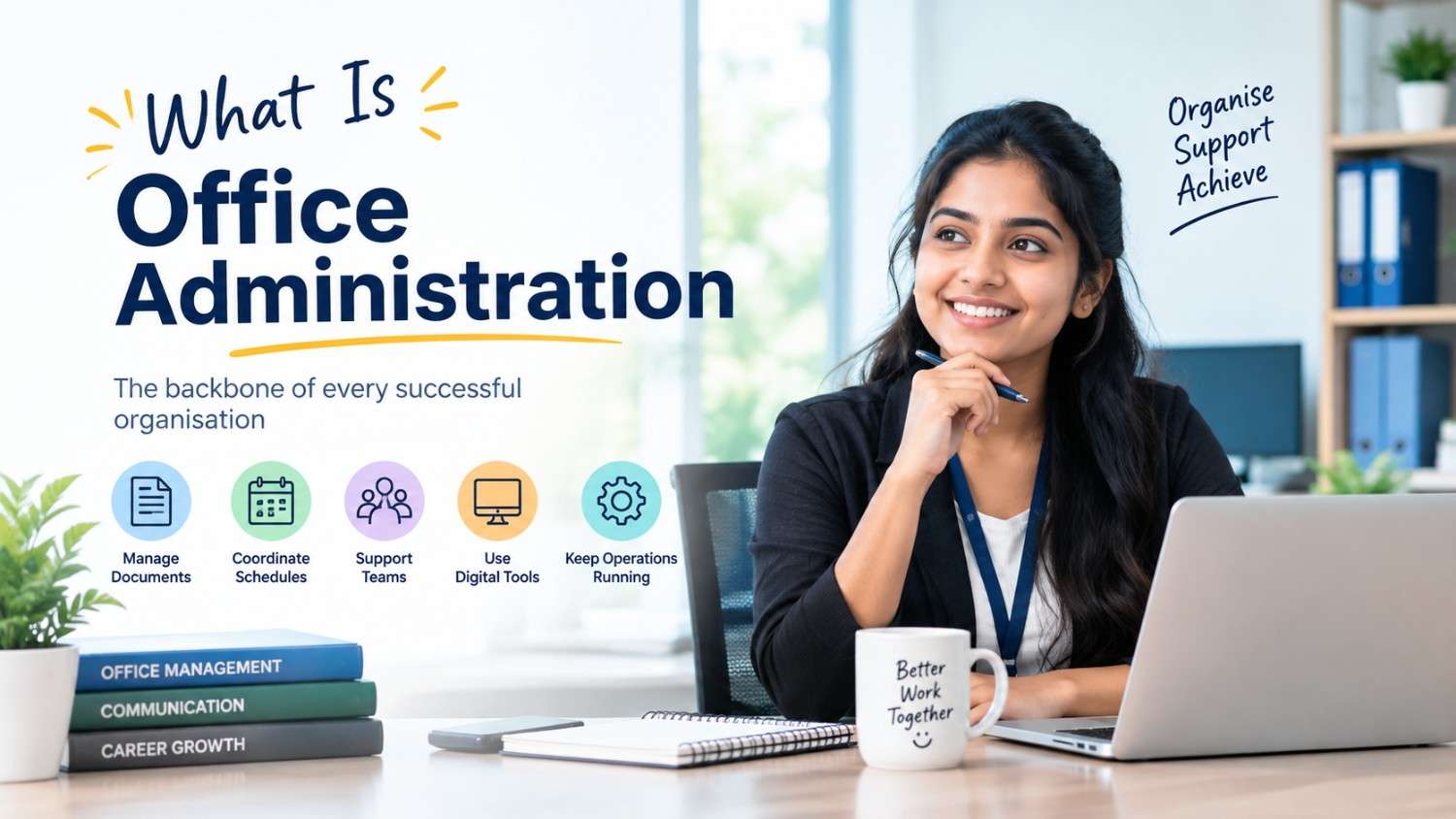
Office Administration in 2026: Skills, Tools and Career Opportunities
Office Administration is one of the most important functions in any organisation. Whether it is a corporate office, hospital, educational institution, financial organisation, retail business or service company, efficient administrative support is essential for smooth day-to-day operations.
In 2026, the role of an office administrator is changing rapidly. Traditional office work is becoming increasingly digital, and employers are looking for candidates who can combine administrative knowledge with computer skills, communication abilities, digital productivity tools and workplace professionalism.
For students and job seekers in Kottayam, learning the right Office Administration skills can open opportunities across different sectors. If you are looking for job-oriented courses in Kottayam, understanding the skills required for modern office administration can help you choose the right career path.
What Is Office Administration?
Office Administration refers to the process of managing and coordinating the daily activities of an organisation.
An office administrator may be responsible for:
Managing office documents and records
Preparing reports and letters
Handling emails and business communication
Scheduling meetings and appointments
Maintaining databases and files
Coordinating with employees and customers
Supporting management and other departments
Managing office supplies and administrative records
Preparing presentations and spreadsheets
Maintaining digital and physical documentation
Supporting front-office and back-office operations
In simple words, office administration is about keeping an organisation organised, efficient and properly coordinated.
Why Is Office Administration Important in 2026?
The modern workplace is increasingly dependent on technology.
Documents are stored digitally, meetings are conducted online, communication happens through email and messaging platforms, and many routine administrative activities are supported by software and automation.
Kerala’s skill-development initiatives are also placing emphasis on digital productivity tools, workplace readiness, communication and technology-based skills.
Because of this change, an office administrator today needs more than basic typing or filing skills.
A modern administrator should understand:
Office Management + Computer Skills + Communication + Digital Tools + Data Handling + Professional Behaviour
This combination can help students become more job-ready office professionals.
Essential Office Administration Skills in 2026
If you are planning to build a career in office administration, developing the following skills can be highly useful.
1. Microsoft Office Skills
Microsoft Office remains an important part of many administrative workplaces.
Students should develop practical knowledge of:
- Microsoft Word
- Microsoft Excel
- Microsoft PowerPoint
- Microsoft Outlook
- Document formatting
- Spreadsheet management
- Presentation preparation
- Basic data analysis
Excel is particularly useful for maintaining records, preparing reports, organising information and working with office data.
Government-supported courses in Kerala also continue to include Word, Excel, PowerPoint and other office productivity skills in digital office training.
2. Google Workspace and Cloud Tools
Modern offices increasingly use cloud-based systems.
Office professionals may need to work with:
- Google Drive
- Google Docs
- Google Sheets
- Google Slides
- Google Forms
- Shared calendars
- Cloud file storage
Understanding cloud-based collaboration can help employees work efficiently with teams, even when colleagues are working from different locations.
3. Professional Communication
Communication is one of the most important skills for an office administrator.
A professional may communicate with:
- Managers
- Employees
- Customers
- Suppliers
- Clients
- Visitors
- Government departments
- Other organisations
Therefore, students should develop:
- Professional English
- Email writing
- Telephone etiquette
- Business communication
- Report writing
- Customer communication
- Presentation skills
- Active listening
Good communication can make a significant difference in administrative work.
4. Email Management
Email is still an essential business communication channel.
An office administrator should know how to:
- Write professional emails
- Use appropriate subject lines
- Attach and organise documents
- Reply professionally
- Forward information correctly
- Maintain email records
- Manage multiple conversations
- Avoid common email communication mistakes
Professional email writing is also increasingly included in employability and workplace-readiness training in Kerala.
5. Data Entry and Data Management
Administrative professionals regularly work with information.
They may need to maintain:
- Employee records
- Customer databases
- Attendance records
- Invoice information
- Contact details
- Inventory records
- Office reports
- Registration details
Therefore, data entry accuracy, spreadsheet skills and digital record management are valuable office administration skills.
Accuracy is particularly important because incorrect information can affect business decisions and daily operations.
6. Time Management and Scheduling
Office administrators often coordinate multiple activities at the same time.
For example:
Meetings → Appointments → Emails → Documents → Calls → Reports → Follow-ups
Good time-management skills can help administrators prioritise tasks and complete work within deadlines.
Important skills include:
- Calendar management
- Appointment scheduling
- Meeting coordination
- Task prioritisation
- Deadline management
- Follow-up management
7. AI Tools for Office Administration
One of the biggest changes in office work is the growing use of Artificial Intelligence (AI).
AI can support office professionals with tasks such as:
- Drafting emails
- Summarising documents
- Creating meeting notes
- Generating basic reports
- Organising information
- Brainstorming content
- Analysing spreadsheet data
- Preparing presentations
- Improving written communication
In 2026, AI is increasingly being introduced as a workplace productivity skill. For example, a 2026 government training programme on AI for office productivity specifically highlighted applications in drafting, data analysis, information management and decision support.
However, AI should be treated as a productivity assistant, not as a replacement for human judgement.
Office professionals still need accuracy, confidentiality, communication, decision-making and organisational skills.
8. Basic Accounting and Financial Documentation
Depending on the workplace, administrative employees may also handle basic financial documentation.
Useful knowledge can include:
- Invoices
- Bills
- Receipts
- Expense records
- Purchase records
- Basic accounting terminology
- Payment documentation
- Tally or accounting software
Some office-focused courses in Kerala combine digital office skills with Tally and basic accounting concepts, demonstrating the practical value of these combined skills.
9. Document and Record Management
Proper documentation is a fundamental administrative responsibility.
Office professionals should know how to:
- Create documents
- Organise folders
- Maintain digital records
- Search and retrieve information
- Maintain confidential files
- Use standard naming systems
- Manage document versions
- Archive important records
With organisations increasingly moving from paper-based systems to digital workflows, digital document management has become an important workplace skill.
10. Front Office and Customer Handling Skills
Many office administration jobs involve interacting directly with customers and visitors.
Front-office professionals should understand:
- Reception management
- Telephone handling
- Visitor management
- Customer service
- Appointment coordination
- Professional greetings
- Complaint handling
- Basic workplace etiquette
A friendly but professional approach can help create a positive first impression for an organisation.
Important Office Administration Tools to Learn in 2026
A job-ready office administration course should ideally provide exposure to commonly used workplace tools.
Essential Productivity Tools
- Microsoft Word
- Microsoft Excel
- Microsoft PowerPoint
- Microsoft Outlook
- Google Docs
- Google Sheets
- Google Drive
- Google Calendar
Communication Tools
- Gmail
- Microsoft Teams
- Zoom
- Google Meet
Design and Presentation Tools
- Canva
- PowerPoint
- Basic visual communication tools
Accounting and Administrative Tools
- Tally
- Spreadsheet-based financial records
- Billing and invoicing systems
AI Productivity Tools
- AI writing assistants
- AI-based summarisation tools
- AI-powered productivity applications
- AI-assisted data analysis tools
The exact software used can vary between organisations, so students should focus not only on learning one application but also on understanding how digital tools are used to complete workplace tasks efficiently.
Career Opportunities After an Office Administration Course
After gaining relevant training and practical skills, candidates can explore different administrative and support roles.
Some possible career roles include:
1. Office Administrator
Responsible for coordinating everyday office activities, documentation and administrative tasks.
2. Administrative Assistant
Provides administrative support to managers, teams and departments.
3. Office Executive
Handles office coordination, communication, documentation and routine administrative activities.
4. Front Office Executive
Works with visitors, customers, calls, appointments and reception activities.
5. Back Office Executive
Supports documentation, data processing, records and internal administrative activities.
6. Administrative Coordinator
Coordinates tasks between departments, employees, clients and management.
7. Receptionist
Handles reception, telephone calls, visitor coordination and appointments.
8. Data Entry Executive
Works with digital records, databases, spreadsheets and information processing.
9. Operations Assistant
Supports daily operational activities and administrative coordination.
10. Office Management Assistant
Supports office management, documentation, scheduling, supplies and coordination. Kerala’s official skill and employment platforms also identify administrative roles such as Administrative Assistant, Office Clerk, Receptionist, Data Entry Operator and Office Assistant among potential outcomes of office-oriented computer training.
Where Can Office Administration Professionals Work?
One of the advantages of office administration is that these skills can be applied across different industries.
Corporate Offices
Administrative professionals support daily business operations, documentation and coordination.
Hospitals and Healthcare Organisations
They may work in reception, documentation, appointment coordination, billing support and administrative departments.
Educational Institutions
Schools, colleges, training centres and educational organisations require administrative staff for admissions, records, communication and coordination.
IT and Technology Companies
IT companies also require administrative assistants, office coordinators and executive support staff.
Financial Organisations
Banks, financial companies and other service organisations require professionals for documentation and administrative support.
Hotels and Hospitality
Administrative and front-office skills are useful in hotels, resorts and hospitality businesses.
Retail and Business Organisations Retail companies, distributors, agencies and local businesses also require administrative support.
Office Administration Career Opportunities in Kottayam
Kottayam has a diverse business and service environment, including educational institutions, hospitals, professional offices, retail businesses, financial services and other organisations.
For students searching for office administration courses in Kottayam, this creates an opportunity to develop skills that can be applied across multiple sectors.
Students from areas such as:
- Kottayam
- Ettumanoor
- Changanassery
- Pala
- Vaikom
- Kumarakom
- Pampady
- Manarcad
can consider practical job-oriented courses in Kottayam to develop administrative and workplace skills. Rather than focusing only on a certificate, students should look for training that combines practical computer applications, office management, communication, documentation and workplace skills.
Who Can Choose an Office Administration Course?
Office Administration can be considered by students and job seekers who are interested in organised, professional and computer-based workplace environments.
It may be suitable for:
- Plus Two students
- Graduates
- Freshers
- Job seekers
- Career changers
- Students looking for professional courses
- Candidates interested in office jobs
- People who want to improve their computer and administrative skills
If you have good organisational ability, communication interest and a willingness to learn digital tools, office administration can be a practical career-oriented field to explore.
Why Choose a Professional Office Administration Course in Kottayam?
Learning through a structured course can help students develop multiple skills systematically.
Instead of learning software applications separately, a professional course can combine:
Computer Skills + Office Management + Communication + Documentation + Data Handling + Workplace Etiquette
Practical training is particularly important.
For example, students can practise creating:
- Business letters
- Professional emails
- Excel reports
- PowerPoint presentations
- Office records
- Meeting schedules
- Digital folders
- Basic invoices
- Administrative documents
This type of hands-on learning can help bridge the gap between classroom learning and workplace requirements.
What Should You Look for in an Office Administration Course?
Before joining an Office Administration Course in Kottayam, consider the following:
✔ Practical Training
Check whether students get hands-on experience rather than only theoretical classes.
✔ Updated Syllabus
The syllabus should include modern office software and digital workplace practices.
✔ MS Office Training
Word, Excel and PowerPoint remain important skills for administrative work.
✔ Communication Skills
Look for training that includes professional communication and workplace etiquette.
✔ Digital Skills
Cloud platforms, online meetings and digital documentation are increasingly relevant.
✔ AI Awareness
Basic AI-assisted productivity skills can be useful for modern office environments.
✔ Career Guidance
Resume preparation, interview training and career guidance can help students prepare for employment.
✔ Industry-Relevant Learning The course should focus on practical workplace activities rather than only certificate-oriented learning.
Office Administration Skills vs Traditional Office Skills
The office administrator of today needs a broader skill set than the traditional office worker.
| Traditional Office Skills | Modern Office Administration Skills |
| Typing | Digital document creation |
| Filing | Digital record management |
| Telephone handling | Multi-channel communication |
| Manual scheduling | Digital calendar management |
| Basic Word processing | Advanced productivity tools |
| Paper records | Cloud-based documentation |
| Manual reports | Spreadsheet-based reporting |
| Basic computer use | Digital workplace skills |
| Routine tasks | Technology-assisted workflows |
| Basic communication | Professional business communication |
The goal is not to eliminate traditional administrative skills but to combine them with modern digital capabilities.
How to Become Job-Ready in Office Administration
Learning a course is only the beginning.
To become more prepared for employment, students can follow a practical approach:
Step 1: Learn Computer Fundamentals
Build confidence with basic computer operations and file management.
Step 2: Master MS Office
Focus especially on Word, Excel and PowerPoint.
Step 3: Improve Communication
Practise professional English, email writing and telephone communication.
Step 4: Learn Digital Workplace Tools
Understand cloud storage, online meetings and collaboration tools.
Step 5: Develop AI Awareness
Learn how AI can support writing, documentation, research and productivity while maintaining accuracy and confidentiality.
Step 6: Practise Real Office Tasks
Create sample reports, spreadsheets, emails, presentations and administrative documents.
Step 7: Build a Professional Resume
Highlight practical skills, software knowledge, projects, internships and certifications.
Step 8: Prepare for Interviews
Practise self-introduction, common HR questions and workplace scenarios. Kerala’s employment initiatives also emphasise resume building, personality development, interview preparation, professional communication and work-readiness skills for job seekers.
The Future of Office Administration
Office administration is not disappearing. Instead, the role is evolving.
The future office professional is likely to work alongside:
Cloud Technology + AI + Automation + Digital Documents + Data + Human Communication
Routine tasks may increasingly be supported by software and automation. This means professionals can focus more on coordination, communication, problem-solving, customer interaction and decision support.
Therefore, students entering the field should develop a continuous learning mindset.
Technology will change. Software will change. Workplace processes will change.
But professionals who can learn, adapt and use technology effectively can remain valuable in changing work environments.
Start Building Your Office Administration Career in Kottayam
If you are searching for professional courses in Kottayam after Plus Two or graduation, Office Administration can be a practical option for developing workplace-ready skills.
At CV Tech Kottayam, students can explore professional training focused on office management, administration, digital skills and career development.
The right combination of technical knowledge, communication skills, practical training and professional confidence can help you prepare for today’s workplace.
Build Your Skills. Improve Your Confidence. Prepare for Your Career.
If you are looking for an Office Administration Course in Kottayam, explore a practical learning pathway that helps you understand modern office systems, digital tools and professional workplace practices.
CV Tech Kottayam
4th Floor, Bishop Tharayil Memorial Building,
Near BCM College, KK Road, Kottayam – 686001
Phone: +91 8301896865
Email: cvisionktym@gmail.comStart learning today and prepare for the changing world of work.

Leave a Reply